AI agents promise speed, scale, and lower operating costs. But when those agents rely on external tools and MCP servers, one weak link can poison the whole workflow. Agent Jailbreaks: Supply-Chain Risks in Tool Use and MCP Servers is not just a security issue. It is a business risk that can leak data, trigger harmful actions, and quietly wreck trust unless leaders build safer automation from day one.
Why agent jailbreaks get worse when tools enter the loop
Giving an AI agent tools changes the game.
The moment an agent can browse, query a database, open files, call an API, or talk to an MCP server, a bad prompt stops being a bad answer. It becomes a bad action. That is the shift businesses keep missing.
An agent jailbreak, in plain business terms, is when an AI is manipulated into doing something outside its intended job. Not just saying the wrong thing. Doing the wrong thing. Sending data, changing records, triggering workflows, exposing secrets, or taking steps no sane operator would approve.
That risk multiplies when tools enter the loop. A poisoned web page can whisper instructions into the model. A support ticket can hide a payload. A document in your knowledge base can tell the agent to ignore policy and fetch credentials. It sounds absurd, until you realise the agent often treats tool output as trusted input. That is where prompt injection turns into action injection.
Every connected tool creates a new trust boundary, and most teams barely know where those boundaries are. Permissions spread. Dependencies hide. One approved connector trusts another system, which trusts another. That transitive trust quietly expands the blast radius.
Web content can smuggle hostile instructions into browser-enabled agents
Connected file systems and CRMs can become sources of secret exfiltration
Email, tickets, and internal wikis can act like attack delivery channels
MCP servers can present dangerous actions through a clean, standard interface
Third party connectors can introduce supply-chain exposure no one reviewed properly
I think this is where businesses get caught. They chase speed, wire everything together, then act surprised when failure scales faster than labour ever could. Simpler flows, tighter permissions, and boring no code automations often beat sprawling complexity. That is not less ambitious. It is more controlled. If you want a grounded view of where this goes wrong, read risks of over automating small business AI.
Where supply chain risk hides in MCP servers and tool ecosystems
Supply chain risk now sits inside the agent stack itself.
MCP servers matter because they give agents a standard way to discover tools, permissions, and actions. That is the upside. The danger is simple, too. Standardisation can lower friction for good teams, or lower friction for attackers. If an MCP server is compromised, the agent may receive manipulated tool schemas, fake capabilities, or hostile output dressed up as trusted structure. Clean interface, dirty intent.
And the supply chain is much bigger than most firms realise. It is not just the model provider. It is prompt libraries, vector stores, browser tools, workflow platforms, automation templates, open source packages, internal wrappers, and that one connector somebody added on Friday afternoon. I have seen teams trust tool metadata far more than they trust user prompts. That is backwards.
A poisoned MCP server can redefine parameters so an agent sends data to the wrong endpoint
An open source connector can hide exfiltration logic inside ordinary helper functions
A prompt pack can quietly assume broad write access, then push unsafe actions at scale
Overprivileged service accounts can turn one agent mistake into lateral movement across systems
Retrieved documents or external apps can inject instructions indirectly, then shape downstream actions
Logging pipelines can capture tokens, customer records, or credentials the agent happened to touch
This is why procurement, security, operations, and marketing all own the blast radius. If an agent can touch campaign tools, CRM records, product systems, or internal knowledge, one weak supplier can create a business problem, not just a technical one. A bad automation in Make.com is not merely a bug. It can mean wasted ad spend, corrupted reporting, or exposed customer data.
The safer path is stricter selection and tighter control. Look for least privilege, output validation, sandboxed execution, allowlists, audit logs, approval gates, version control, and actual vendor due diligence. Sensible teams, perhaps slower at first, lean on curated libraries, tested workflows, and real world guidance. Read Safety by design, rate limiting, tooling sandboxes, least privilege agents. It will save you from expensive lessons.
How to build safer agent systems without killing speed
Safe agent systems are built on discipline.
That sounds less glamorous than speed. It is also what protects speed when things get messy. If your agent stack can move money, touch customer records, update campaigns, or trigger workflows, you do not need more freedom. You need control that moves fast.
The practical model is simple. Set governance first, shape architecture second, enforce access third. Then test, watch, train, and rehearse response until it becomes normal. I think this is where many teams slip. They buy power before they build restraint.
Start with visibility. Map every tool, connector, MCP server, and data source. If you cannot name it, you cannot secure it. Next, split agent duties by risk. Keep research agents away from execution. Keep execution agents away from crown-jewel systems. Use isolated environments for browsing and code execution, and treat all outside content as untrusted, every time.
Then tighten permissions hard. Assign least privilege access, short lived credentials, and approval gates for high impact actions. Validate and sanitise tool inputs and outputs before the agent can act on them. A workflow in Make.com should not get broad account access just because it saves ten minutes.
Map every tool, connector, MCP server, and data source
Assign least privilege access and short lived credentials
Treat all external content as untrusted
Validate and sanitise tool inputs and outputs
Require human approval for high impact actions
Use isolated environments for browsing and execution
Continuously red team agent workflows for jailbreak resilience
Monitor for anomalous tool calls and data access patterns
Train teams with step by step guidance instead of vague policy documents
Monitoring matters because failure rarely looks dramatic at first. It looks like unusual tool calls, odd retrieval patterns, or quiet data drift. Pair logs with workflow red teaming and outcome checks. The playbook in Safety by design, rate limiting, tooling sandboxes, least privilege agents is useful here.
Winning businesses will not be the ones that launch agents first. They will be the ones that deploy them safely, repeatably, and profitably. If you want to get there faster, expert support, pre built automations, practical tutorials, premium prompts, and a serious community of operators can cut wasted time and costly mistakes. Book a call with Alex.
Final words
Agent jailbreaks are no longer isolated prompt problems. They are supply chain problems spread across tools, connectors, MCP servers, and permissions. The businesses that win will combine speed with control, using safer architecture, tighter governance, and practical automation systems. Build AI agents that earn trust, protect data, and scale profitably, not agents that multiply risk behind the scenes.
The old game is over. Schools and publishers spent years chasing tools that promised certainty, then watched false positives, easy workarounds and damaged trust pile up. What wins now is not better guessing. It is a stronger system built on authorship evidence, transparent workflows, editorial judgment and AI assisted processes that raise quality while cutting wasted time and cost.
Why AI detection collapsed
AI detection failed because it sold certainty it could never prove.
That was the original sin. These tools acted like lie detectors for text. They were not. They were probability engines, trained to spot patterns, guess intent, and spit out confidence scores dressed up as facts. That is a dangerous game when grades, careers, and reputations sit on the line.
The cracks were obvious if you looked closely. False positives hit non native writers hard, because simpler phrasing and rigid grammar often looked machine made. Formulaic academic prose got flagged for the same reason. Clean structure became suspicious. Predictable language became guilt.
Then the models improved, fast. Detectors were always chasing a moving target, always a step behind. A small rewrite, a better prompt, or a pass through a paraphraser and the whole system folded. Even content provenance and trust labels for an AI generated internet points to the real issue, output alone is weak evidence.
Publishing saw weak enforcement. Education saw something worse, false accusations. And once legal risk entered the room, over reliance became impossible to defend. I have seen organisations quietly back away from detector dashboards they once treated like gospel.
So the market changed. It stopped rewarding suspicion. It started rewarding systems that can prove how work was made, not just guess where it came from.
What education needs instead
Education needs proof of authorship, not guesswork.
That means shifting from output policing to authorship verification through process evidence. If a student can show how the work took shape, trust goes up fast. Version history, staged submissions, in class writing checkpoints, source notes, reflection logs and brief oral defences all expose the real thing, thought in motion. Polished prose matters less when the trail is visible. Reasoning matters more.
The smartest schools will redesign assessment itself. Not bolt on another dashboard and hope for the best. Build rubrics that reward judgement, interpretation, source use and decision making. Ask for working notes. Require draft milestones. Compare final submissions with earlier thinking. It is harder to fake a process than a paragraph, that is the point.
AI still has a place, maybe a strong one, if the rules are clear. Students can use it for brainstorming, tutoring, outlining and feedback support. But they should disclose where it was used, keep prompts or notes where needed, and stay accountable for the final argument. Learning outcomes come first. Tools come second.
There is a staff upside too. Teachers can use AI assistants to draft worksheets, adapt reading levels and cut admin load. Simple workflows, even with tools like AI tools for creating online courses growth guide, can help non technical teams move step by step, with practical examples and less friction.
What publishing must adopt now
Publishers need provenance, not detection.
If education needs process evidence, publishing needs editorial provenance. That means a clear record of who drafted the piece, when it changed, which sources shaped it, and which editor approved the final claims. Detection tools guess. Provenance shows. That distinction matters more than most teams admit.
A serious content operation should be able to produce:
the original brief and intended audience
a research log with source links and notes
a revision trail across drafts
an editorial checklist for claims, tone and compliance
a named sign off for legal, factual and brand risk
This is what trust looks like at scale. Not paranoia, process. A writer can use AI to expand angles, tighten copy or speed first drafts. Fine. The safeguard is the workflow around it. Source validation, disclosure rules, fact checking and voice guardrails stop speed turning into slop. I have seen teams double output and still improve consistency, which sounds unlikely until the system is tight.
The commercial upside is obvious. Lower production costs. Faster turnaround. Stronger campaign performance from AI led testing and content insights. Tools like Make.com or n8n can route briefs, log edits, trigger reviews and archive approvals without code. For a useful wider view, see C2PA and content provenance trust labels for an AI generated internet. That is where publishing goes next, maybe a bit later than it should.
The new framework is proof not prediction
Detection is finished.
What comes next is better, and a lot less fragile. Education and publishing now need the same operating model, proof, provenance and accountability. Not prediction. Not probability. Proof.
Detection asks a weak question, was this made by AI. Trusted systems ask a stronger one, show me how this was made, who checked it, and who owns the decision. That shift changes everything. I think leaders feel this already, even if they have not named it yet.
Process visibility, through drafts, logs and checkpoints that show how work developed
Human accountability, through named reviewers and clear decision owners
Policy clarity, through disclosure rules and acceptable use standards people can actually follow
Quality assurance, through source checks, rubric alignment and editorial review
Automation, for repetitive tasks only, never for final judgement
In schools, this means assessing the path, not just the final answer. In publishing, it means proving editorial control, not hoping readers trust the badge. Different teams, same standard. Evidence beats suspicion.
The smart move is to design workflows people will use under pressure. Keep them light. Make proof automatic where possible. Tools, templates and even personalised AI assistants can help here, especially when paired with premium prompts and pre-built automation libraries. For some teams, agent observability for autonomous work that scales without chaos is a useful way to think about it.
Next, the question becomes practical, how do you build this into day to day work without slowing everything down.
How to build a trusted AI workflow
Trust is built in the workflow.
You do not get trust by buying a detector. You get it by designing a process people can follow on a busy Tuesday. That is the difference. And, if I am honest, it is where most teams still stumble.
Start small, then tighten the loop:
Audit current content, editorial and assessment flows, from first draft to final sign-off.
Spot the gaps, where authorship, source quality or approval trails become fuzzy.
Define acceptable AI use cases, research support, summarising, outlining, feedback, never hidden authorship.
Introduce version tracking and review rules, so changes are visible and ownership stays named.
Automate repetitive admin, handovers, file routing, reminders and status updates, tools like Zapier automations for business can help.
Train staff with short real examples, one lesson, one workflow, one clear standard.
Measure quality, speed, cost and compliance every month, then adjust what people actually ignore.
The winning setup is rarely the fanciest. It is the one staff will actually use without a manual. No-code tools matter. Regular updates matter. A supportive expert community matters, perhaps more than people expect.
That is why structured training, ready-made automations, practical AI marketing insight and peer networks carry real weight. They cut wasted effort. They reduce risk. They help teams move faster, without losing control.
The institutions that win next
The winners will build trust faster than everyone else.
The next wave will not belong to schools, publishers or businesses policing harder. It will belong to those setting clearer rules, proving work better and moving quicker. That is where the edge is now. Not in catching people out, but in designing systems that make good work easy to verify.
I have seen teams cling to detectors because it feels safe. It is not safe. It is delay dressed up as control. The real protection is a trust architecture, clear authorship standards, documented review, provenance checks and approval trails people actually follow. If you want a useful parallel, read C2PA and content provenance trust labels for an AI generated internet.
AI is not the threat. Blind reliance is the threat. Weak process is the threat. Outdated controls are the threat. And yes, I think many leaders know this already. They just have not acted with enough speed.
The opportunity is wide open, better policy, better evidence, better automation. Education leaders can protect standards without slowing learning. Publishers can scale output without weakening credibility. Business owners can cut waste while tightening quality control.
Wait too long and the cost creeps up quietly, slower teams, weaker trust, higher admin drag. Move now and you create leverage that compounds. Fast.
Final words
AI detection lost because it tried to guess intent from output. Education and publishing need something stronger: visible process, clear standards, human accountability and automated workflows that protect quality. The real advantage comes from building systems that prove trust, not software that predicts it. Teams that adopt this shift now will move faster, cut waste and stay credible as AI use becomes standard.
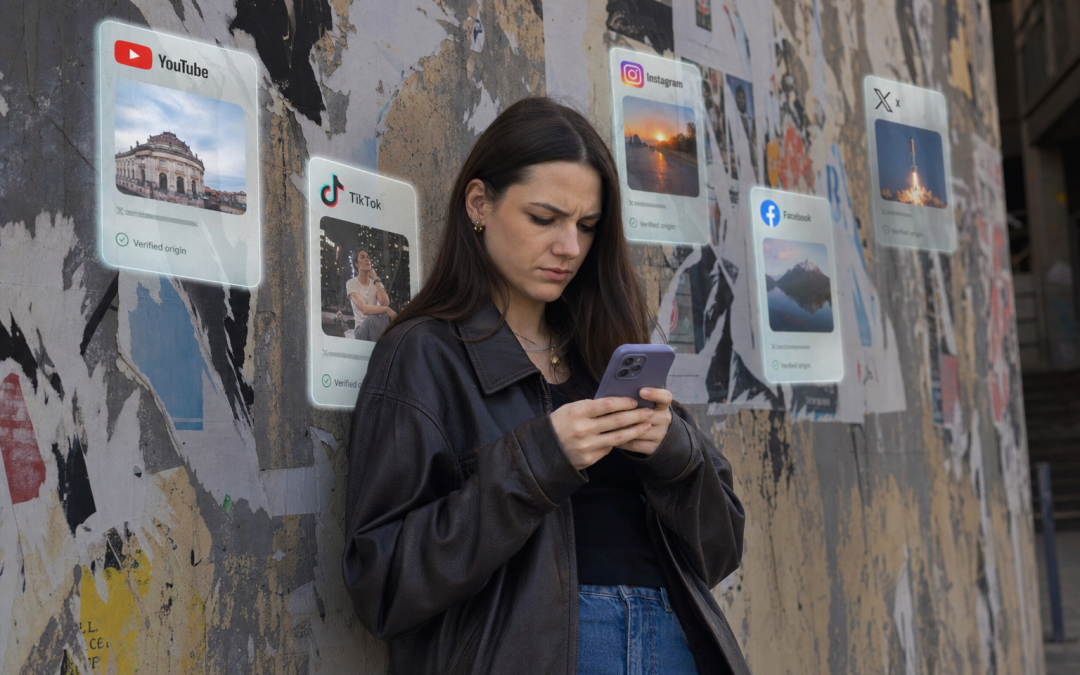
Trust is now a growth lever, not a branding extra. As major platforms roll out C2PA standards, content provenance is moving from niche policy talk to operational reality. Publishers, marketers, creators, and tech teams need to understand how credentials travel, where they break, and how smart automation can turn verification into a scalable advantage instead of a manual headache.
Why provenance is becoming platform infrastructure
Trust now depends on provenance.
If content moves money, opinion, or risk, platforms need proof of where it came from. Not a policy memo. Not a nice badge. A working trust layer. That is why Content Provenance at Scale: C2PA Rollout Across Major Platforms matters right now.
C2PA is the plumbing for that trust. In plain English, it lets a file carry content credentials that say who created it, what tools touched it, and what changed along the way. Those records can include cryptographic signing, structured assertions, embedded metadata, and a verifiable chain of custody across capture, editing, export, and publishing. A visible label might tell users something useful. The real value sits underneath, in the verification data that machines can check at scale.
Generative AI forced this issue. Synthetic media got cheaper, faster, and harder to spot. Platforms, publishers, camera makers, and software vendors did not move because it sounded ethical. They moved because trust loss hits reach, moderation costs, brand safety, and user confidence. You can see the wider shift in C2PA and content provenance, trust labels for an AI generated internet.
Scale changes the game. Millions of assets hit feeds, newsrooms, ad systems, marketplaces, and knowledge bases daily. Manual review breaks. Teams need automated verification pipelines, no code workflows, and AI support to route files, preserve metadata, and flag gaps consistently. Helpful tutorials, practical examples, and expert communities lower the barrier, maybe more than people expect.
Less manual checking, fewer repeated decisions
Faster moderation support, with clearer asset history
Stronger brand controls, especially in paid media
More consistent trust signals, across large content estates
The next question is where this works in practice, and where rollout still gets messy.
How major platforms are rolling out C2PA in the real world
Platform rollout is real, but it is messy.
That matters, because once provenance became infrastructure, the next question was obvious, who is actually preserving it? The answer is uneven. Some platforms support creation-side signing. Some show labels. Some let users inspect verification data. Others quietly preserve parts of the metadata, then lose it during upload, resizing, or transcoding.
Social feeds are the roughest environment. Compression strips data. Screenshots kill the chain. Derivative edits create grey areas. Search and publishing systems tend to do better, especially where verification matters commercially. Camera makers and editing tools can attach credentials early, which is powerful. Still, if a downstream platform drops them, that value leaks out fast. I have seen teams assume the badge travelled with the asset. It did not.
Uploads may remove metadata during format conversion
Edited versions can break the original credential chain
Legacy libraries often have no trustworthy source record
Trust signals get buried in poor interface design
Tool-to-platform handoffs still lack consistency
For brands and agencies, this is not academic. Provenance can reduce fraud, tighten campaign QA, and support compliance evidence. eCommerce teams can flag suspect product imagery before it hits listings. Publishers can document edits. Advertisers, though, still worry about patchy enforcement and what transparency really exposes.
This is where monitored workflows matter. AI assistants, prompt-led checks, and automations in Make.com or n8n can inspect metadata, route failures, and log exceptions. Practical support helps teams turn that into a repeatable system, not another forgotten policy. Which leads to the next move, operationalising provenance properly, at scale.
How to build a scalable provenance strategy that wins trust
Trust is built through systems.
If C2PA is spreading across platforms, your next move is not more discussion. It is process design. The winners will be the teams that make provenance boring, repeatable, and built into daily publishing.
Start with a hard audit. Not a vague workshop, a real one.
map every content workflow from creation to distribution
log where credentials are attached, preserved, stripped, or ignored
flag breakpoints across editing, resizing, export, upload, syndication, and archive
choose high risk, high value assets first, product imagery, executive video, campaign creative, press materials
add signing and verification inside publishing systems, not as an afterthought
set rules for synthetic, edited, and human captured media
give marketing, product, operations, and compliance teams step by step training resources
This is where early movers pull away. They cut manual checking, speed approvals, and build proof into the asset itself. I have seen teams stall because nobody owns the workflow. So assign owners, fast.
Use AI and automation to handle repetitive verification, routing, exception flags, and audit logs. Expert prompts, templates, no code AI systems, practical video training, and a strong private peer group can shorten the learning curve quite a bit.
track trust signals, handling time, policy breaches, and compliance evidence monthly
improve based on failure points, not assumptions
Ready to turn provenance, AI, and automation into a practical growth system for your business? Book a call with Alex here.
The market will reward organisations that operationalise provenance, not those that merely talk about it.
Final words
C2PA is turning content trust into an operational system, and major platforms are pushing that shift faster than many businesses expect. The winners will be the teams that build verification into everyday workflows, automate what slows them down, and educate their people early. Provenance at scale is not just about compliance. It is about protecting credibility, improving efficiency, and earning attention in a market flooded with doubt.
Music AI in Production: Licensing, Royalties, and the Artist Backlash has become a commercial, legal, and cultural flashpoint. Labels want scale, platforms want speed, and creators want protection. The result is a high-stakes fight over training data, ownership, compensation, and consent. Businesses that understand the rules early can reduce risk, protect margins, and build smarter AI workflows without inviting a reputational disaster.
Why music AI became a legal battlefield
Music AI is now a rights problem with real money attached.
What changed was simple. AI stopped being a studio gimmick and became a production layer. Producers began using it for vocal cloning, stem separation, composition support, mastering help, and fast soundtrack generation. A rough brief could become ten usable options before lunch. That speed is seductive. I can see why teams ran with it.
But the legal fight did not start because artists hate tools. It started because there is a huge difference between using AI to assist a session and using copyrighted catalogues to train a commercial model. One helps make work. The other can absorb decades of human labour, then monetise it at scale, often without permission.
That is where the temperature rose. Rights holders looked at unlicensed training and saw value extraction. Their songs, recordings, voices, and arrangements were feeding products they did not approve, and may never be paid for. For a useful parallel, see copyright training data licensing models.
The mess gets worse because AI output can echo a style without lifting one clear master or composition. A model can suggest a familiar vocal tone, harmonic shape, or production feel, close enough to trigger alarm, not always close enough to fit old legal tests. Copyright law was not built for synthetic performances or training data disputes. It is trying to catch up, a bit awkwardly.
For brands, agencies, and content teams, this is commercial risk, not theory. Use AI blindly and you could face claims, platform takedowns, or ugly brand fallout. Clear governance matters. Practical AI education helps too, especially step by step workflows, real examples, and expert guidance that let non technical teams move quickly without walking straight into a legal trap.
Licensing rules that decide who gets paid
Licensing decides where the money goes.
In AI music, the rights stack gets crowded fast. Master rights cover the sound recording. Publishing rights cover the composition, melody, lyrics, structure. Performance rights trigger when music is broadcast or played in public. Mechanical royalties apply when compositions are reproduced or streamed. Neighbouring rights can pay performers and recording owners in some markets. Then it gets messier, voice and likeness rights may apply if a model imitates a recognisable singer. For ads, film, games, and branded content, sync rights sit on top.
The licence changes with the use case. Generate from scratch, and the fight is often about authorship and training data. Imitate a known voice, and consent becomes central. Remix or stem-split an existing track, and you are squarely in derivative territory. Enhance a vocal with AI clean-up, maybe lower risk. Distribute at scale, and metadata errors start costing real money. People miss this all the time.
Training rights are not release rights. Licensing source material for model training does not automatically clear the output for Spotify, YouTube, or an advert. And platform terms of service do not magically fix chain-of-title gaps. They mostly protect the platform. Not you.
Royalty allocation is where the temperature rises. If an AI track leans on licensed references, who shares in value? The producer, rights holder, vocalist being imitated, model provider? Maybe all of them. Labels and publishers will push tighter contract clauses, disclosure duties, audit rights, synthetic voice bans. Collecting societies may also need new data standards if AI works flood cue sheets and registrations, a bit like the provenance issues discussed in C2PA and content provenance trust labels for an AI generated internet.
For agencies and brands, keep a simple approvals system:
log every source asset and model used
record permissions for training, editing, release, and sync
flag cloned voices and stylistic references for legal review
store split assumptions before distribution starts
assign one owner for final sign-off
That admin burden gets heavy, fast. Which is why prompt libraries, no code workflows, ready made automations, and personalised AI assistants can help document provenance, route approvals, and cut manual compliance work without turning the whole process into a legal traffic jam.
Royalties, ownership, and the fight over creative value
Royalties are where the AI music argument gets painfully real.
The last chapter covered the rights stack and who may have a claim. This is where that legal structure hits money, careers, and creative worth. AI can shrink composition and production from days to minutes. That sounds brilliant for output. It also creates a brutal side effect, more tracks chasing the same listener attention and the same royalty pools.
That is already a weak market for many artists. Streaming pays well for the top fraction, then drops off hard. Session players get paid once. Vocalists may lose repeat work if synthetic voices fill drafts and finals. Composers and producers face a stranger problem, the market may still need music, just not their music at the same price. Volume starts to beat craft. And when platforms are flooded, payout dilution gets worse, not better.
Style imitation makes this even messier. If a system can produce “something like” a working artist, it can erode the premium that artist spent years building. Maybe not always, but often enough to hurt. The question becomes ugly, who created the value? The prompt writer, the dataset owner, the editor, the arranger, or the human style being echoed?
Businesses cannot wing this. They need policy. Set rules for attribution, rights audits, human review, and risk thresholds before scale. Build peer review loops, learn from expert communities, and avoid isolated decisions that get expensive later. A practical route is guided learning, updated training, templates, community insight, and tailored automation support, the sort of structured approach discussed in copyright, training data, and licensing models. New royalty models may emerge for AI assisted work, but until then, guesswork is a liability.
How brands creators and platforms can move forward
The way forward is practical, not ideological.
Markets calm down when rules get clear. Music AI will be no different. The winners will not be the loudest or the fastest. They will be the ones who build trust into the workflow from day one, then scale with confidence.
For artists and labels, start with consent that is specific, written, and revocable where possible. Training data use should be separated from synthetic voice use, because they carry different risks. If a voice, likeness, or catalogue is being licensed, say exactly what the model can do, where it can be deployed, and how long the rights last. Vague permission is just delayed conflict.
For platforms, agencies, and startups, disclosure needs to be plain English. If a track is AI assisted, say so. If a vocal is synthetic, say so. You do not need a legal thriller in the metadata, just a standard that buyers, listeners, and rights holders can actually understand. This is where content provenance trust labels for an AI generated internet start to matter.
Contracts need to catch up as well. Royalty splits should define prompt contribution, editing input, model usage rights, and future retraining limits. I think this is where many firms still get lazy. That laziness will get expensive.
Use AI for drafting, tagging, search, versioning, and admin heavy production tasks
Keep human control over topline ideas, emotional direction, final approvals, and artist identity
Build no code systems, prompt libraries, and step by step playbooks now, before the mess compounds
Companies chasing shortcuts will inherit legal claims, payment disputes, and reputational damage. The ones building compliant systems now will move faster later, with fewer fires to put out.
Want to build AI systems that save time, cut costs, and keep your business ahead of the curve? Book a call with Alex here.
The smart move is not to fear AI. It is to control it, document it, and use it where it earns its keep.
Final words
Music AI is not just a creative tool. It is a rights, revenue, and reputation issue. The winners will be the businesses and creators who combine smart licensing, clear royalty logic, and responsible automation. Ignore the backlash and you invite legal friction. Build with consent, structure, and expert guidance, and AI becomes a genuine advantage instead of an expensive mistake.
Feature-length AI video is no longer a gimmick. It is becoming a production option with real implications for budgets, timelines, staffing, legal risk, and creative control. The winners will not be the people chasing hype. They will be the teams building smart workflows, automating repetitive production tasks, and navigating union concerns with clarity, speed, and commercial discipline.
Why feature-length AI video is now commercially credible
Feature-length AI video is commercially credible.
That shift matters because the old objections are collapsing, one by one. Quality jumped. Then consistency improved. Then control started to catch up. What looked like a toy now behaves more like a production system. Not perfect, no. But commercially usable, yes.
A producer can now push far closer to a finished scene without hiring a full traditional team upfront. Visual style can be locked, then transferred across sequences. Shots can be extended without rebuilding everything from scratch. Characters hold together better across angles and environments. Lip sync is sharper. Voice cloning has tighter consent and control settings. Editing handoff is less painful, especially when outputs drop cleanly into established post workflows. Tools like Runway helped normalise that expectation.
The money case is even clearer. Pre-visualisation costs fall fast. Iteration cycles shrink. Some manual tasks, tedious roto, temp voice, rough concept passes, just stop eating budget. That changes who gets to make ambitious work. Indie filmmakers get a shot. Agencies test more concepts before client sign-off. Brand storytellers can build long-form assets without betting the whole quarter on one expensive production day.
And there is a second-order advantage people miss. Teams that learn AI through step-by-step tutorials, practical examples, and no-code automation move faster because they waste less time guessing. I think that matters more than raw model power. Smarter decisions come from repeatable process, not hype. Master AI and automation for growth is really the mindset here.
Which raises the next question, the only question that matters if you want results, what exactly sits inside the tool stack, and where does each piece earn its place?
The core tool stack behind feature-length AI production
The stack decides whether feature-length AI production scales or collapses.
Feature work needs categories, not random subscriptions. Generative video models handle shot creation and scene variation. Image tools lock look development before money gets burned. LLMs shape scripts, beat sheets, prompt systems, and revision logic. If those foundations are weak, your pipeline leaks time from day one. I have seen teams blame the model, when the real issue was messy inputs.
Video generation, creates moving shots, strongest for speed and ideation, weakest on long-range consistency and exact control.
Image generation, builds character sheets, environments, props, strongest for style anchoring, weakest if licensing is vague.
LLMs, draft scripts, prompt libraries, shot lists, strongest for repeatability, weakest when producers trust first outputs.
Voice and music, cover dialogue, temp scores, localisation, strongest on turnaround, weakest where consent and rights are sloppy.
Animation, editing, upscaling, refine motion, pacing, finishing quality, strongest when paired with human review, weakest if used too late.
Consistency, asset management, automation, track characters, versions, naming, approvals, strongest for margin protection, weakest when ignored.
Selection is commercial. Judge output quality, cost per minute, render speed, API access, collaboration, and licensing clarity. If a tool cannot fit a repeatable pipeline, it is a hobby. Not a business. A platform like Runway may earn its place fast, but only if it plugs cleanly into your editorial process.
The hidden multiplier is workflow glue. Pre-built automations, prompt libraries, personalised AI assistants, and no-code systems like Make.com or n8n strip out friction. Small thing, maybe. Still, that is where serious producers win. If you want a wider view of stack thinking, the new creative suite, image, video, music all in one timeline is worth your time.
A real workflow from concept to final cut
Feature-length AI video needs a production system.
Start with the commercial brief, not the model. Nail the audience, format, genre promise, and price point first. If the concept cannot win attention in one line, it will not survive 90 minutes. Human judgment owns this stage. AI can pressure-test loglines, surface comparable titles, and map audience angles, a bit like the thinking in can AI replace market research for new product launches, but people decide what is worth making.
Then build the spine. Story architecture, beat sheet, sequence map, character intent, emotional turns. Do this manually. Use AI to expand options, not to choose meaning. Shot planning and visual development can move faster. Generate style frames, lens references, lighting packs, location variants. Create one pilot scene early. It exposes weak prompts, bad pacing, and character drift before you burn weeks.
Run the workflow like operations, not art school.
Version every script, prompt, scene, and render
Name assets by project, sequence, scene, shot, take
Log prompt inputs, model settings, seed values, approvals
Use dashboards for status, blockers, costs, and continuity flags
Voice tests, character tests, and continuity checks need human review every time. Scene generation can be automated in batches. Final cut, QC, legal review, and distribution prep cannot. That is where expensive mistakes hide. Structured training, updated playbooks, and proven automation templates help teams repeat what works, and avoid learning the hard way.
The union debate and the fight over labor creative rights and consent
Labour fights follow the money.
Feature-length AI video puts unions in a hard position, and for good reason. If a studio can generate crowd scenes, de-age talent, clone voices, or build synthetic performances, who gets paid, who consents, and who owns the result? That is the real argument. Not the shiny demo.
Actors worry about digital doubles becoming permanent assets. One scan, one contract, years of reuse. Writers worry that scripts, rewrites, and story structures are being absorbed into models without credit. Editors and VFX artists see the same pattern, labour shifted from craft to clean-up, supervision, and exception handling. Sometimes sold as progress, if we are honest, often sold as savings.
Consent, must be specific, revocable, and tied to use.
Compensation, cannot stop at a one-off buyout if synthetic reuse continues.
Disclosure, matters when audiences and workers are interacting with generated material.
Training data, remains the pressure point, whose work trained the machine, and on what terms?
Producers and studios are not wrong to chase margin. They are wrong when they treat trust as optional. Clear rules can let AI support human teams, not strip mine them. That means contract language, provenance, residual logic, and workflow guardrails, the kind discussed in from clones to consent, the new rules of ethical voice AI in 2025.
This fight is legal, yes, but it is also about leverage and perceived value. If creative labour is reclassified as data prep, prompt supervision, or model guidance, pay structures change. Status changes too. That tension does not disappear with better tools. It gets sharper. Which is exactly why the next question is operational, who approves what, who tracks rights, and who keeps the whole system under control.
Building scalable safe and profitable AI video operations
Feature-length AI video needs operating rules.
Without them, costs drift, approvals stall, and brand damage sneaks in through the side door. This is where most teams get hurt. Not on the model choice, but in the mess after it. You need governance that is boring, clear, and enforced. Who can generate footage, who signs it off, what data is allowed, what rights are attached, what quality bar must be hit before anything moves downstream.
Build one system, not ten scattered habits. Set prompt standards by use case. Lock brand voice, visual references, prohibited terms, and disclosure rules into a central library. Use AI assistants to pre-check prompts, flag policy breaches, draft rights summaries, and route assets for approval. Tie that into an internal knowledge base, so lessons stop living in private chats. I have seen teams save weeks just by documenting what good looks like, then sticking to it, mostly.
Production leads need scorecards, not guesswork:
Cost per finished minute
Revision rounds per sequence
Rights clearance status
Security and access logs
Brand compliance rate
Output speed versus human edit time
Forecast budgets by workflow, not hype. Compare vendors on controllability, audit trails, commercial rights, uptime, and support. A tool like agent observability for autonomous work that scales without chaos matters more than flashy demos. Quietly, this is where expert guidance pays for itself. You avoid waste, move faster, and gain access to operators and business owners already solving the same bottlenecks.
Who wins next and how to act before the market catches up
The winners will be the teams that move first with discipline.
Agile studios have the edge because they can test formats, cut weak ideas fast, and double down on what holds attention. They do not need massive crews. They need sharp taste, tight feedback loops, and a production stack that keeps getting better. Creator-led brands are close behind. They already own audience trust, and trust is the hardest asset to buy back once the market gets noisy.
Hybrid teams will likely outperform pure AI players. That matters. The best results will come from humans shaping story, tone, pacing, and performance, while automated systems handle versioning, previs, asset generation, and post workflows. I think that balance will win for a while. Maybe longer. If you want a useful reference point, see AI video gets real, storyboards, shots, text to video pipelines.
The move now is simple, not easy. Start small, but start properly.
Pick one use case with commercial value, not novelty.
Build a pilot with clear quality, legal, and cost boundaries.
Keep human approval on story, likeness, and final cut.
Track output speed, revision load, and audience response.
Scale only what improves margin or reach.
Want to build smarter AI workflows, automate production bottlenecks, and future-proof your business? Book a call with Alex here.
The market will not wait for perfect certainty. The people who win will learn faster, publish sooner, and keep human judgement where it counts most. That window is open now. It will not stay open for long.
Final words
AI-generated feature video is moving from fringe experiment to commercial reality, but the edge will go to operators who combine creative ambition with disciplined systems. Tools matter. Workflows matter more. Governance matters most when money, rights, and reputation are on the line. Build the capability now, automate what slows you down, and use expert support to scale with confidence instead of chaos.